Summary
This production release focuses on improving workflows for data queries and includes a much requested update to the Flow Builder. Teams can now collaborate more confidently, with less risk of working from an outdated version or unintentionally overwriting each other’s changes. Exports and participant progression have also been made more predictable.

Highlights
Work together in the Flow Builder
Trial Builder now detects concurrent changes in real time. Questionnaires and Info Pages refresh when their content blocks are updated, reducing the risk of researchers working from an outdated version. Researchers can view each other’s edits and request the edit lock from each other to take over the work.See data queries more clearly
The new Data Query Log gives researchers a central view of query activity across the study, making it easier to maintain oversight, monitor progress and keep data management work moving.Know when your export is genuinely ready
Export notifications are now sent only after the file has been fully prepared, so researchers can download completed exports straight away without encountering files that are still processing.Keep participants moving
Researchers can now progress participants directly from an Info Page, providing greater control over participant journeys and supporting smoother, more flexible study workflows.Trial Deck is now available through G-Cloud 15
Global Initiative has been awarded a place on G-Cloud 15, making it easier for public sector organisations to procure Trial Deck through an established government framework.
Summary
This production release focuses on practical improvements for teams managing participant journeys, referrals, exports and safety review. It expands referral options, adds more control when manually moving participants through a study, strengthens questionnaire export masking, and includes validation, security and general platform updates.

Highlights
More flexible referral and self referral routes
Referral workflows now support GP referrals before participant registration, participant self referrals, improved launch validation and research team notifications. Participants can complete self referral questionnaires through channels, giving studies a clearer route for initial screening before formal registration.Stronger export controls for sensitive questionnaire data
Questionnaire data exports can now apply PII masking where question data sensitivity has been set, reducing the risk of sensitive participant information being included unnecessarily.Better context for exported notes
Data export notes now include the linked entity type, ID and name, making it easier to understand where each note came from and what it relates to.Smoother participant progression and correction
Researchers can now move participants back to a previous block with the option to reset data, giving a more controlled way to correct progression. This release also improves movement back through Decision blocks, Study ID validation, paused participant filtering and Notification Centre launch validation.Improved safety event review
Triggering answers for safety events are now displayed using stored safety event data, so teams can see the answers that triggered an event without relying on later changes elsewhere in the participant record.Validation, security and system updates
Validation improvements, security updates and reduced unnecessary error reporting for draft trials support smoother study setup, testing and ongoing platform maintenance.
Summary
This production release is focused on making Trial Deck clearer, easier to use and more consistent for study teams. It improves questionnaire and custom role layouts, adds PROM definition export and preview options, strengthens completion tracking, and includes practical fixes across permissions, accessibility, project naming, password handling and test navigation.

Highlights
Clearer warning for multi-tab participant access
Trial Deck now warns users when a participant journey may be open in more than one tab. This reduces confusion and lowers the risk of unexpected behaviour when working with participant records.Cleaner questionnaire and custom role pages
The Questionnaires and Custom Roles pages have been updated to make configuration easier to review and manage, helping study teams work more confidently with access settings in studies with more complex roles.PROM definition export and preview
Teams can now export PROM definitions and preview PROMs, giving researchers a simpler way to check questionnaire structure, review definitions and validate setup before use.Faster supporter setup
The Create Supporter screen now auto-selects the default role, reducing manual steps and avoiding missed role selection during supporter creation.Clearer project management
Trial Deck now prevents users from creating two projects with the same name, keeping project lists cleaner for teams managing multiple studies.More accurate completion tracking for concurrent questionnaires
The activity log now records concurrent questionnaire completion using the questionnaire completion date rather than the block completion date, giving a more accurate view of participant activity.Improved reliability and access handling
Fixes for custom supporter role validation, keyboard access to calendar time controls, demo trial console errors, test suite navigation and expired password changes.
Summary
This production release focuses on strengthening data governance, improving system security, enhancing concurrent intervention functionality, and delivering a range of quality improvements across Trial Builder. It introduces additional data locking capabilities, improves concurrent intervention behaviour, and includes several defect fixes.
Highlights
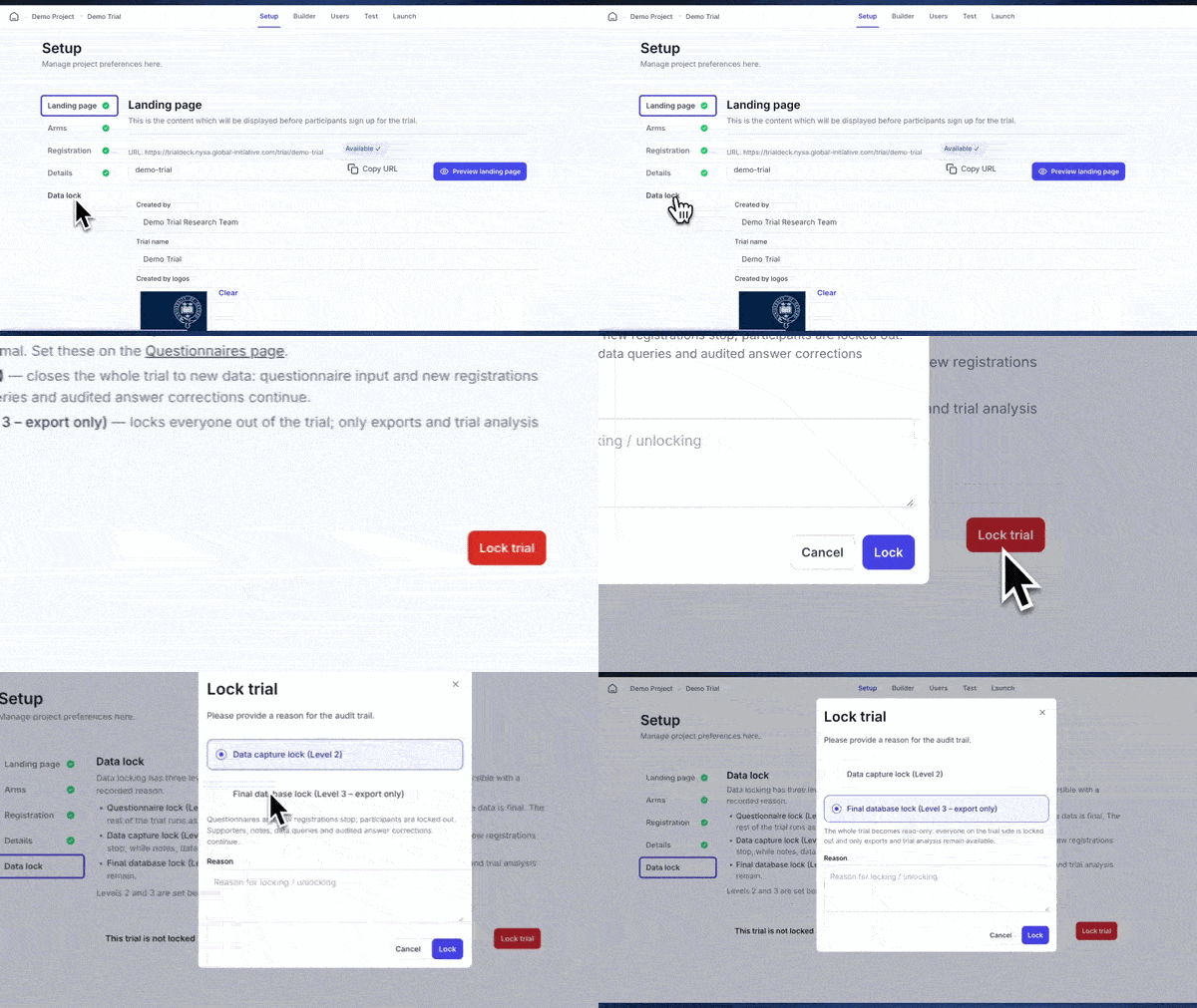
Two new data locking levels
Trials can now configure Level 2 locking to lock all data for a participant and prevent modifications, and Level 3 locking where data can no longer be modified and only exporting is allowed. These additions provide greater control over data integrity and support monitoring, review and audit processes.Security enhancements
This release addresses two penetration testing findings by strengthening role isolation across trials and improving authorisation checks for participant updates, ensuring user permissions are applied appropriately.Improvements to concurrent interventions and questionnaire management
Concurrent interventions now behave more consistently, with clearer navigation for participants and simpler study configuration. Research teams can also edit questionnaires that have been automatically completed, where appropriate.Quality fixes across Trial Builder
Fixes cover nested panel questions in filters, context variable pickers and data exports, translation handling when info pages are deleted, Data Dictionary exports for dependent question choices, and a wider Safeguarding block side panel.
Summary
This production release focuses on improving data control, participant experience and role based access across the platform. It introduces data locking to protect completed questionnaires, enables concurrent access to interventions, expands supporter permissions with custom roles, enhances Trial Builder usability, and includes a number of defect fixes to improve reliability, auditing and participant data management.

Highlights
Data locking
Trial Deck now supports individual questionnaire locking. This gives study teams clearer control over when questionnaire responses should no longer be changed, supporting monitoring, review, audit and data management workflows.Concurrent intervention access
Participants can now access interventions concurrently where this has been enabled. This gives studies more flexibility in how intervention content is delivered, particularly where participants may need more than one intervention pathway or content area at the same time.Supporter custom permissions
Supporter roles and permissions have been refined, with permissions now applied to the Supporter View and a new custom supporter role setup screen. Research teams have more control over what supporters can see and do, aligning access with study requirements and safeguarding needs.Role based access at block level
Trial Builder now supports selecting user role access at block level, strengthening configuration options for studies that need different users to access different parts of a participant journey or study workflow.Reliability and audit fixes
Exit block behaviour is now consistent across standard and custom notifications, the audit trail for assigning and reassigning roles has been fixed, newly created concurrent questionnaires appear without a refresh, and AG Grid has been upgraded.
Summary
This production release focuses on improving questionnaire access control, Data Dictionary exports and Trial Builder usability. It introduces permission based access for specific questionnaire blocks, adds new Data Dictionary download options, improves block search within the builder, and includes security updates and defect fixes across exports, permissions, activity logs and participant progression.
Highlights
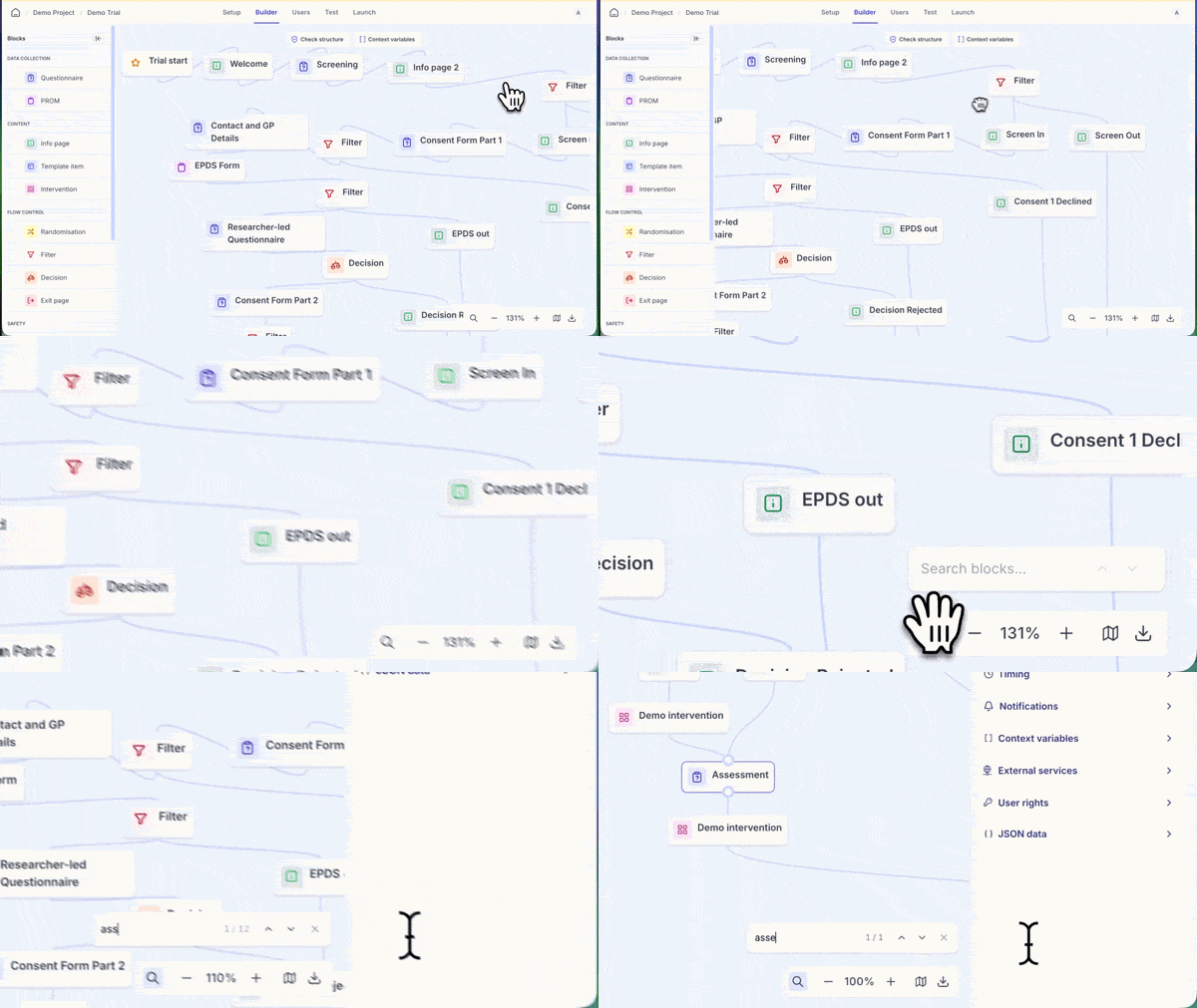
Improved Trial Builder block search
The Trial Builder search has been improved to make it easier to find blocks within larger or more complex study flows. This reduces friction when navigating existing builds, reviewing workflows or making targeted updates.Permission based access for questionnaire blocks
Trial Deck now supports permission based access to specific questionnaires. This gives study teams more control over who can view or work with particular questionnaire blocks, supporting more granular access management across roles, teams and workflows.Data Dictionary download improvements
Data Dictionary downloads have been expanded, including individual questionnaire and PROM Data Dictionary downloads from block exports. Teams can review questionnaire structure, field definitions and validation rules without inspecting the full study configuration.Improved Data Dictionary validation
Validation rules have been added to the Data Dictionary, improving the accuracy and consistency of exported data definitions for downstream review, analysis and documentation.Security updates and defect fixes
Project wide CSRF protection is now enforced, and fixes cover filter menu rendering, Data Query exports for falsy answers, moving blocked participants to a previous block, and hiding decisions and note creation from users without the right permissions.
Summary
This production release improves how teams review decisions, export data queries, and understand participant activity across a study. The update adds clearer visual feedback in the Decisions List, introduces data query exports, improves Trial Builder usability, and includes several system and defect fixes. We have also published a new analytics guide to help teams make better use of Matomo activity tracking within Trial Deck.
Highlights
Added row update animations and undo support in the Decisions List
Data queries can now be exported for review and sharing outside Trial Deck
Updated platform wording from “Digital Intervention” to “Intervention”
Improved visibility of Trial and Intervention icons on the project page
Added a new user rights icon in Trial Builder questionnaire blocks
Released system updates to support a single database pipeline and reduce deployment time
Upgraded Vue from 3.3 to 3.5
Fixed issues across researcher notes, Boolean values, PDF exports, questionnaire attachments, researcher email changes, and participant status handling
Published a new knowledge base guide on using Matomo analytics to review participant journeys and engagement patterns
Summary
Today’s production release includes a major overhaul of the Trial Builder layout and user experience, alongside improvements to participant registration, supporter workflows, safety self reporting, dashboard filtering and data export reliability. The update is focused on making study configuration clearer for research teams, improving participant management, and giving supporters and researchers more practical tools for day to day trial delivery.
We are also making major improvements to our release systems in order to minimise down time on Thursdays. This may mean we need to have a little more grace than usual in order to ensure everything is working as planned. Our risk assessment for this has shown this is very unlikely to affect our users beyond a normal release.
Highlights
Custom study ID Block
Trial Deck now supports custom study ID generation. This gives teams greater control over participant identifiers and allows study IDs to align more closely with local processes, site conventions and protocol requirements.Major Trial Builder layout and UX improvements
The Trial Builder has had a significant layout and user experience update. These changes make study configuration clearer, reduce friction when building participant flows, and make the builder easier to navigate as studies become more complex.Researcher led participant registration
Researchers can now register participants directly. This supports studies where enrolment is managed by the research team, rather than completed independently by the participant, and is particularly useful for site based or assisted recruitment workflows.Safety self reports linked to form templates
Safety self reports can now have a form template attached. This allows studies to capture additional information in a consistent, structured format when a safety event is reported.
Summary
More of Trial Deck now works the way real study support often works in practice, with multiple supporters available across key participant workflows. Alongside that, this release makes data query collaboration easier, tightens privacy and registration controls, and improves the performance and reliability of exports and background processing.
Highlights
Multiple supporters are now supported across key participant workflows
Data Query Management now supports multi-user query assignment
Participant registration and privacy controls have been strengthened
Data export performance and status handling have been improved
System performance and background processing have been optimized
Reliability fixes applied across login, roles, and exports
Summary
This release is all about making Trial Deck feel more dependable in the day to day. Exports are easier to trust and monitor, Flow Builder catches issues earlier, participants can sign in more simply, and teams get more control over notifications, safeguarding, and channel capacity — all alongside a round of security and defect fixes.
Highlights
Added validation checks for Trial Builder filters
Improved data export reliability and status handling
Enabled adjustable channel capacity
Added one-time email login for participants
Added support for test notifications
Improved safeguarding checks and participant redirects
Applied security and defect fixes across exports and the builder